
下载app免费领取会员


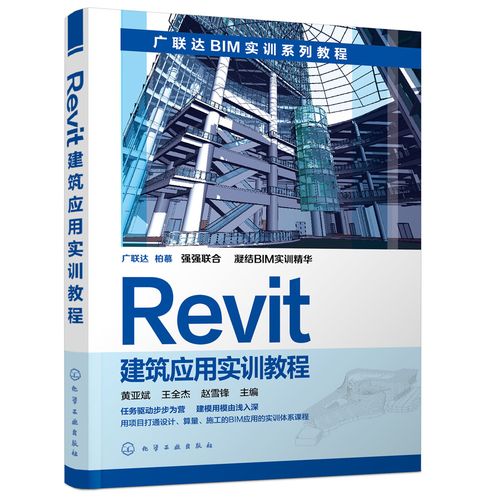
1. Introduction to Revit:
Revit is a Building Information Modeling (BIM) software that allows architects, engineers, and construction professionals to design, analyze, and document building projects. It provides a collaborative platform where multiple stakeholders can work together on a project, ensuring seamless communication and coordination throughout the design and construction process.
2. Getting Started with Revit:
Before diving into the software, it is important to understand the basic concepts of BIM and its advantages over traditional 2D drafting. BIM allows architects to create an integrated and intelligent model of a building, which can be used for various purposes such as visualization, clash detection, and quantity estimation. Once you have a clear understanding of BIM, you can install and set up Revit on your computer.
3. User Interface and Navigation:
Revit has a user-friendly interface that allows you to navigate and interact with the model easily. The main components of the interface include the Ribbon, Quick Access Toolbar, Project Browser, Properties Palette, and the 3D view. Familiarizing yourself with these components will help you navigate through the software and access its various tools and features efficiently.
4. Creating a Project:
To start a new project in Revit, you need to set up the project settings such as units of measurement, project location, and project template. Once the project settings are configured, you can begin creating the model by adding levels, grids, and walls. Revit has a wide range of tools for creating different elements of the building, including floors, roofs, doors, windows, and stairs. These tools can be accessed from the Ribbon and customized according to your design requirements.
5. Working with Families:
Revit uses families to represent objects or components in a building, such as furniture, fixtures, and equipment. There are two types of families in Revit: system families and component families. System families are predefined and cannot be modified, while component families can be created or modified by the user. Understanding the concept of families and how to work with them is essential for creating a detailed and accurate model.
6. Creating Views and Sheets:
Revit allows you to create different views of the model, such as plan views, section views, and 3D views. These views can be used for visualization, documentation, and coordination purposes. You can also create sheets to organize and present your views in a professional manner. Sheets can include multiple views, title blocks, and annotations, which can be customized to meet your specific project requirements.
7. Collaborating with Others:
One of the key advantages of Revit is its ability to facilitate collaboration among multiple stakeholders. Revit allows users to work on the same project simultaneously, making it easier to coordinate changes and updates. It also provides tools for sharing and accessing the model online, enabling remote collaboration. Understanding how to collaborate with others in Revit is crucial for working effectively in a team and ensuring the success of the project.
8. Analyzing and Optimizing the Model:
Revit offers several analysis tools that can be used to evaluate the performance and efficiency of the building. These tools include energy analysis, structural analysis, and daylight analysis. By using these tools, architects can optimize the design to achieve energy efficiency, structural stability, and optimal daylighting conditions.
9. Documentation and Presentation:
In addition to its design capabilities, Revit also provides tools for generating construction documentation, including floor plans, elevations, and sections. These documents can be customized and annotated to convey the design intent effectively. Revit also allows you to create realistic renderings and animations of the model, which can be used for presentations and marketing purposes.
10. Advanced Features and Extensions:
Revit offers a wide range of advanced features and extensions that can enhance your design capabilities. These features include parametric modeling, advanced rendering, advanced scheduling, and advanced detailing. Additionally, there are several third-party extensions available for Revit that can further expand its functionalities and capabilities.
In conclusion, Revit is a comprehensive and versatile software tool for architectural design. By following this guide, you will gain a thorough understanding of Revit and its various features and functionalities. Whether you are a beginner or an experienced professional, this guide will help you master Revit and use it effectively in your architectural design projects.
转载请注明来源本文地址:https://www.tuituisoft/bim/166964.html

上一篇:没有了
下一篇:没有了






- Revit2020序列号和密钥是什么,激活码怎么弄?
- 邮电BIM证书交钱就能直出?别被人骗了还在帮人家数钱
- 为什么enscape打不开?enscape打不开问题自检!
- Revit卸载不完全导致无法重新安装的解决方法
- revit梁不显示的几种解决办法
- BIM证书一二三级的区别优化
- revit怎么读,如何发音才准确?
- 广联达BIM和revit区别有哪些,哪个更好用
- Catia如何放大缩小?教你关于catia缩放的知识!
- Revit没有样板文件如何解决?
- revit没有立面视图怎么解决
- Revit样板文件在哪里?为何会出现没有样板文件的情况?
- BIM考试有人保部的考试吗?BIM考试人保部与工信部区别
- Lumion10官方配置要求,看看你的电脑带的动吗?
- revit下载的族放哪里,如何解决revit安装后没有族库的问题
- Catia如何测量长宽高?这个方法教你catia量尺寸!
- revit族路径在哪,载入族是空白的如何解决
- revit楼层平面中没有出现绘制的标高怎么办
- Revit怎么设置中文?Revit如何切换中文界面?
- CAD2020配置要求,官方推荐电脑硬件要求?
